
Professional invoicing software for freelancers
Create clean client-ready invoices, track what's still unpaid, send reminders automatically, and manage recurring work from one focused billing workspace.
Free plan. No credit card required.
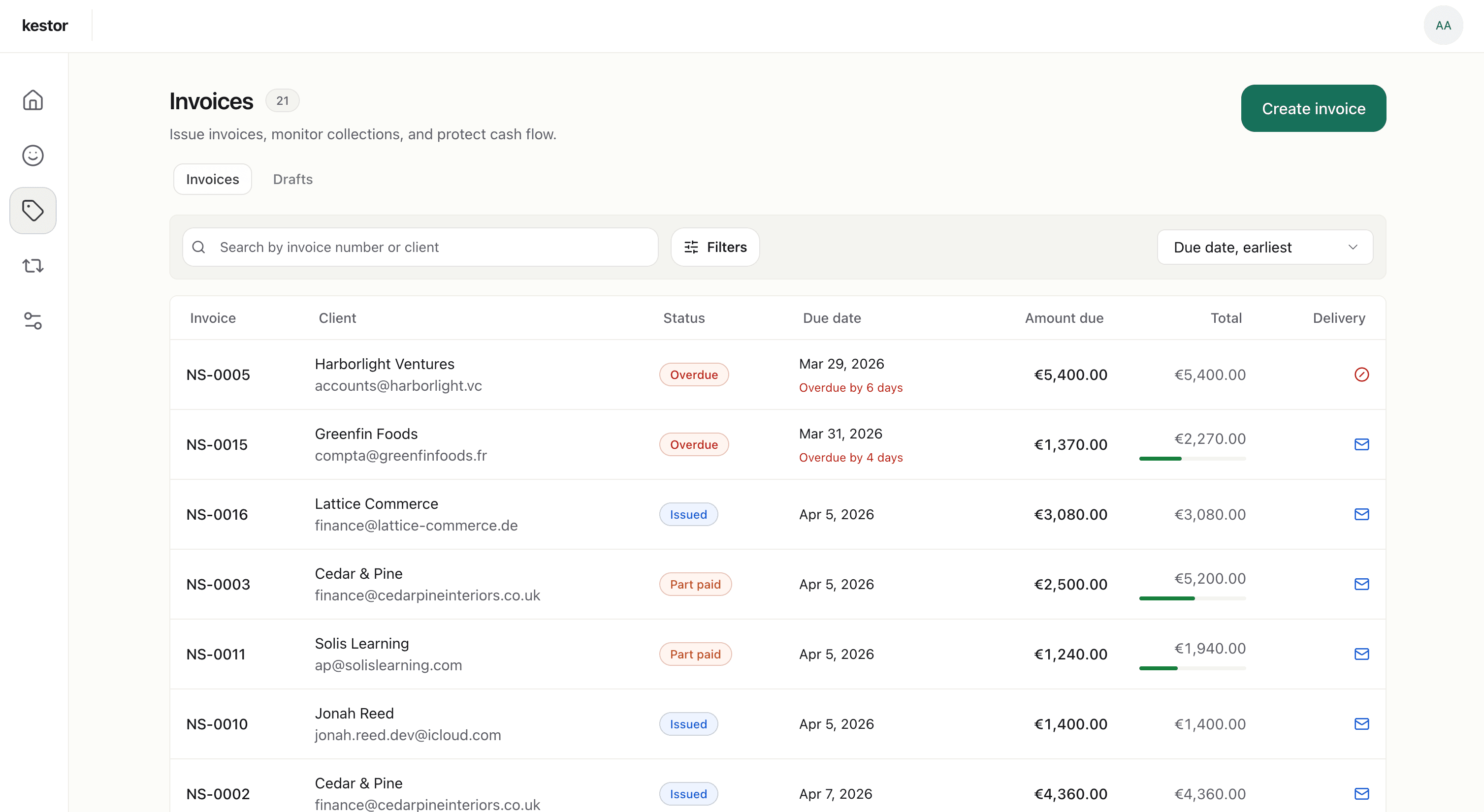
Freelance invoicing
Freelance invoicing should feel simple, not scattered
Freelancers often end up piecing billing together across templates, notes, inbox threads, and reminder habits that are easy to miss when work gets busy. Kestor gives you one place to create invoices, track payment status, follow up, and handle repeat billing without dragging you into full accounting software. When overdue invoices need a dedicated workflow, see reminder automation.
Create and send
When clients receive an invoice, it shapes how they see your business. Kestor helps you send invoices that are clear, polished, and ready to go.
Track what matters
Once an invoice goes out, you can see what is outstanding, overdue, due soon, or already settled without relying on memory, inbox searches, or a spreadsheet you keep meaning to update.
Follow-up without friction
Late payment follow-up is part of freelance work, but it should not depend on memory or manual habits. Kestor keeps reminders attached to the invoice itself so follow-up stays consistent.
Retainers and repeat clients
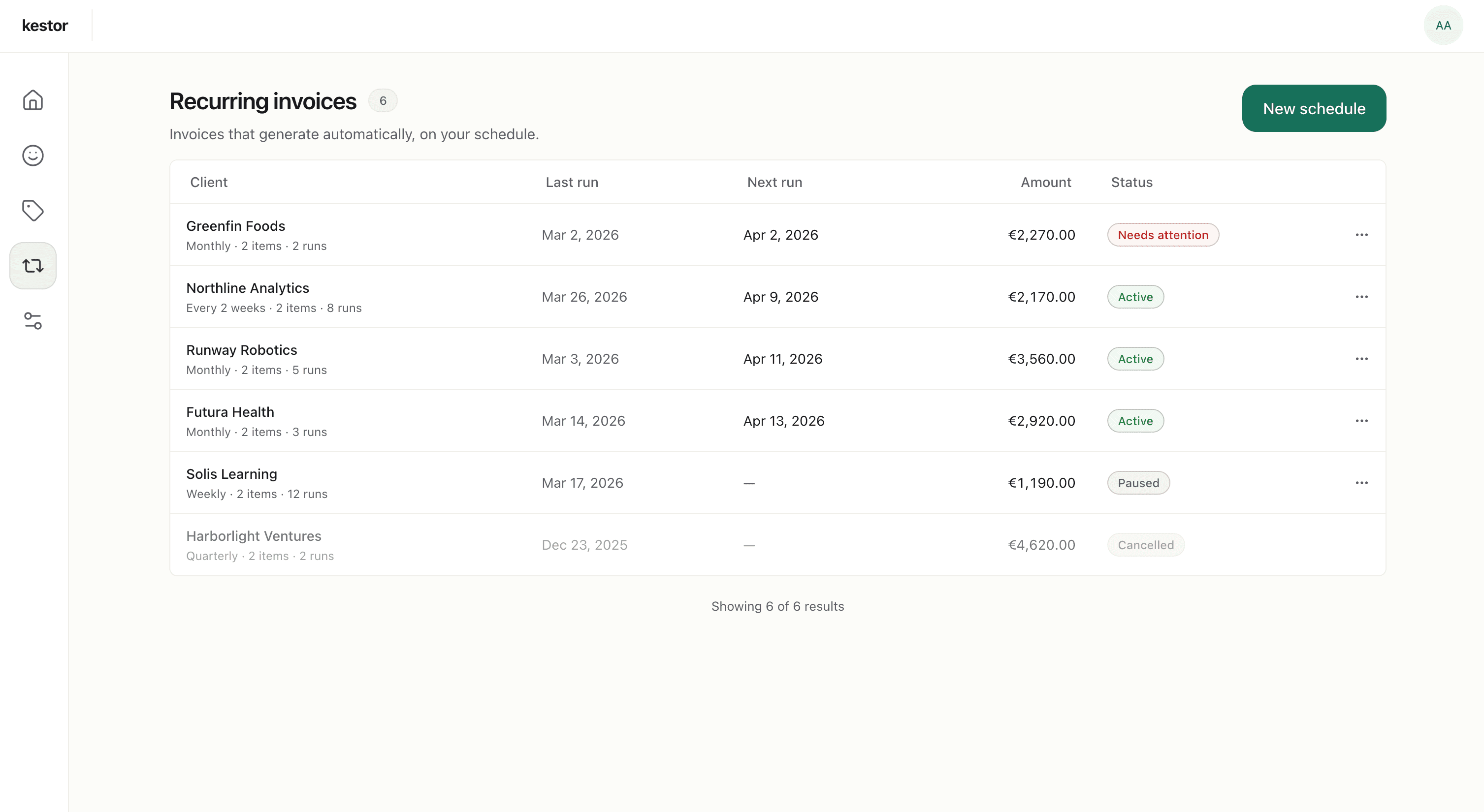
Handle recurring freelance billing without rebuilding the same invoice every month
For retainers, recurring work, or repeat client engagements, Kestor helps you keep billing consistent. Recurring schedules generate draft invoices each cycle, so you can review them before anything goes out.
- Create recurring schedules for ongoing client work.
- Review draft invoices before sending.
- Keep repeat billing efficient without going fully hands-off. For the dedicated recurring page, see recurring invoice software.
Follow-up without friction
Stay on top of reminders without the awkwardness
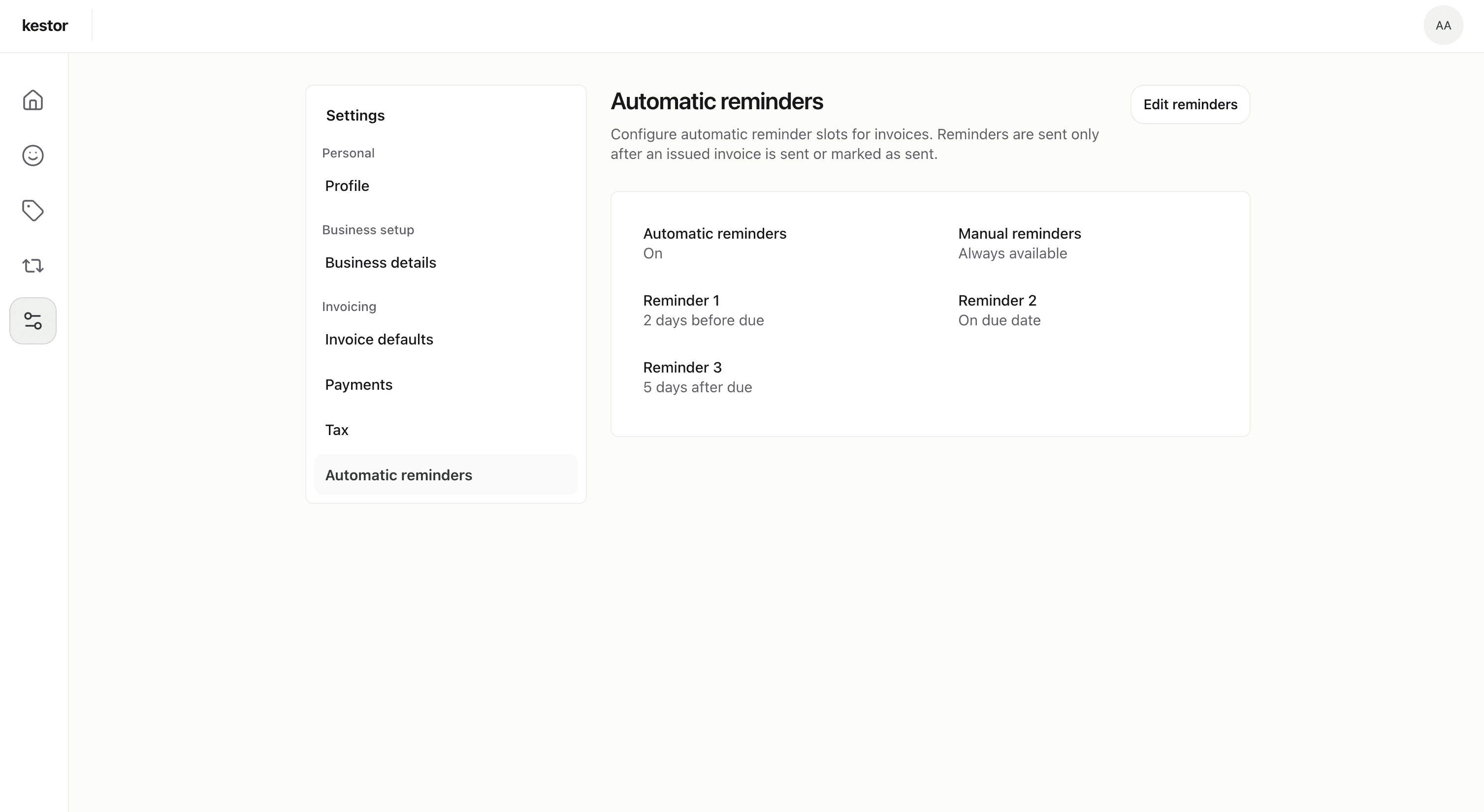
Late payment follow-up is part of freelance work, but it should not depend on memory or manual habits. Kestor keeps reminders attached to the invoice itself, so follow-up stays consistent and tied to what was actually sent.
- Set reminder timing once.
- Send manual reminders when needed.
- Keep follow-up connected to delivery and payment state. See invoice reminders for the narrower workflow page.
Why freelancers choose Kestor
Built for the billing work freelancers actually do
Kestor is built for freelancers who want to look credible, stay organized, and avoid carrying a full accounting stack just to send invoices and get paid.
Look credible
Send clear, professional PDF invoices that reflect serious client work.
Stay organized
Keep clients, invoices, payments, and reminders in one workflow instead of splitting them across tools.
Avoid software bloat
Use a focused invoicing product without taking on bookkeeping features you do not need.
A better fit for common freelance billing workflows
Project-based work
Recurring retainers
Mixed client workloads
Solo operators who want to look established
Feature summary
Everything a freelance billing workflow needs
Kestor focuses on invoicing and receivables from first draft to final payment.
Invoice drafting
Structured invoice creation with live preview and issue-time checks.
Professional PDF output
Invoices that look polished and client-ready.
Client records
Saved billing details, recipient emails, notes, defaults, and invoice history per client.
Payment tracking
See what is outstanding, overdue, due soon, or settled.
Reminders
Automatic and manual follow-up tied to delivery status.
Recurring invoices
Draft-first recurring billing for repeat freelance work.
Comparison
Why not just use a template or accounting platform?
Freelancers usually need more than a template, but less than a full accounting platform. Kestor is built for that middle ground.
Template tools
Fine for occasional invoices, but they break down when you need recurring billing, payment visibility, or reminder follow-up.
Full accounting software
Useful if you need bookkeeping and financial admin, but often heavier than freelancers need for straightforward client billing.
Kestor
Built for the middle: a focused invoicing workspace that covers drafting, sending, tracking, reminders, and repeat billing without extra accounting overhead.
FAQ
Freelancer invoicing questions, answered clearly
These are the questions freelancers usually ask before switching billing tools or cleaning up repeat client invoicing.
What is the best invoicing software for freelancers?
The best invoicing software for freelancers keeps invoice creation, payment tracking, reminders, and repeat billing in one workflow. Kestor is designed for that narrower freelance billing job without expanding into full accounting software.
Do freelancers need accounting software or just invoicing software?
Many freelancers need reliable invoicing and receivables first, not a full accounting suite. Kestor focuses on invoices, reminders, recurring retainers, and client billing history without adding bookkeeping features you may not need.
Can freelancers use Kestor for recurring retainer billing?
Yes. Kestor lets freelancers set recurring schedules for retainer work and generates a draft invoice each cycle so you can review details before sending it to the client.
Is there a free plan for freelancers?
Yes. Kestor has a free plan that covers up to 3 clients and 5 invoices with no credit card required. Pro is available for freelancers who invoice regularly and need unlimited clients, recurring billing, and automatic reminders.
Freelance invoicing that stays professional and under control
Create better invoices, keep repeat billing organized, and stay on top of payments from one focused workspace.
Free plan · No credit card required