
Invoicing software for independent professionals
Send invoices, track unpaid payments, and manage recurring billing from one clear, simple workspace without the clutter of full accounting software.
Free plan. No credit card required.

Create and send
Get invoices out fast, with the right details already in place
- Live preview while you build
- Saved client and billing details carried forward
- Send by email or mark as sent manually

Stay on top of payments
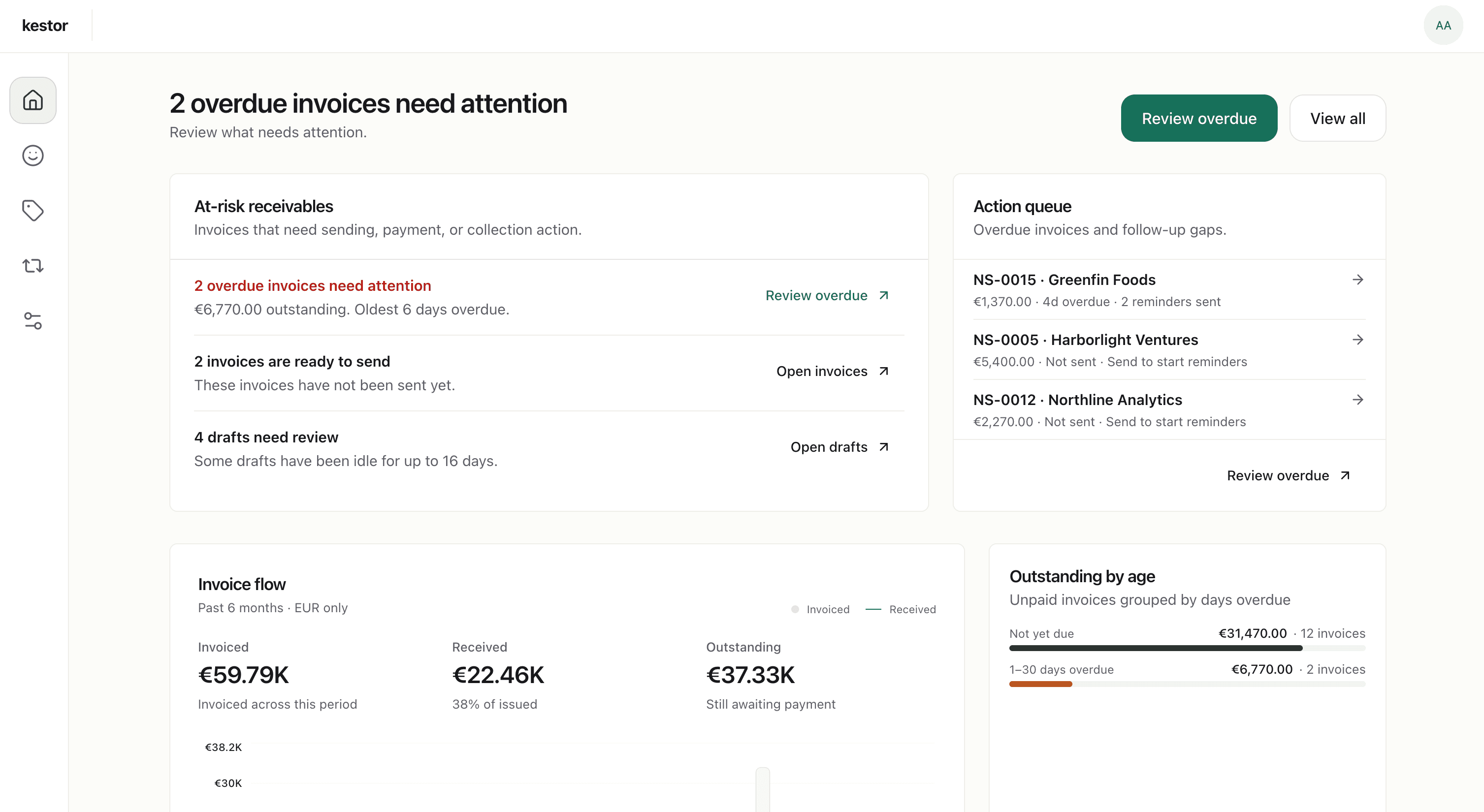
See what's open, overdue, and due soon at a glance
- Track draft, sent, part-paid, paid, and overdue invoices
- See outstanding balances and upcoming due dates in one place
- Log partial and full payments as they arrive
Recurring billing and follow-up
Keep repeat billing moving without losing control
- Recurring schedules for retainers and ongoing work
- Draft-first recurring invoices for review each cycle
- Automatic and manual reminders when invoices need follow-up

Why Kestor
Built for invoicing, not accounting overload
Most products force you into one of two extremes: simple templates that break once your workflow gets real, or accounting platforms packed with features you never asked for. Kestor gives you the invoicing workflow end to end and stops there on purpose.
Everything billing needs
Create, send, track, follow up, and manage recurring invoices in one workflow.
Professional by default
Your clients receive invoices that look clear, credible, and ready for serious business.
Simple without being limited
You get visibility and control without taking on bookkeeping software complexity.
Who it's for
Made for people who bill clients directly.
Kestor is for independent professionals who want invoicing to stay clean, credible, and easy to manage from first draft to final payment.
Freelancers
For client work where invoice quality, payment tracking, and recurring retainers all matter.
See the freelance pageRetainers and recurring services
For ongoing work that needs recurring invoices without rebuilding the same setup every cycle.
See recurring billingIndependent service businesses
For consultants, coaches, creatives, and solo operators who want focused invoicing instead of a full accounting suite.
See the service business pagePayment follow-up
For businesses that want reminders and payment tracking to stay attached to the invoice, not scattered across the inbox.
See reminder automationFeatures
Everything the workflow needs. Nothing it doesn't.
Kestor covers the invoicing and receivables workflow without drifting into accounting-software sprawl.
Invoice editor
Professional PDF invoices
Client management
Payment tracking
Automated reminders
Recurring invoices
How it works
Three steps. Then you're invoicing.
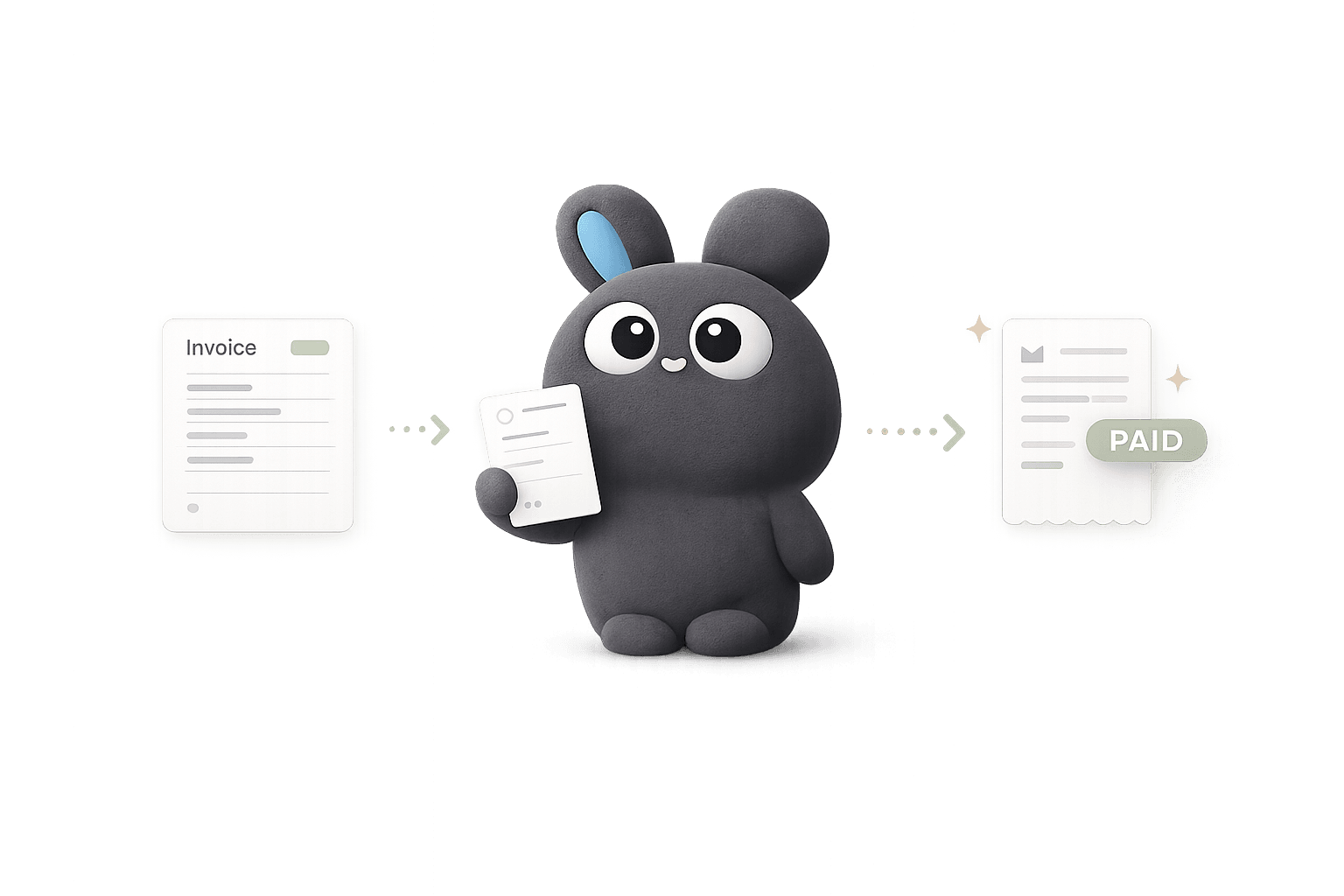
Set up once.
Add your business details, payment methods, tax settings, and invoice defaults so every invoice starts from a cleaner baseline.
Create and send.
Create a one-time invoice or set up a recurring schedule for ongoing work. Review the live preview, then send by email or mark it as sent manually.
Track and collect.
Keep outstanding, overdue, and settled invoices visible in one place. Send reminders when needed and record payments as they arrive.
Pricing
Start free. Upgrade when you need more room.
Use Kestor free for your first clients and invoices. Upgrade to Pro for unlimited usage, recurring invoices, and automatic reminders.
Free
For getting started with your first clients and invoices.
- Up to 3 clients
- Up to 5 invoices
- Invoice customization
- Send invoices by email
- Unlimited PDF exports
- Payment tracking
- Invoice and payment history
- Dashboard overview
- Support access
Kestor Pro
About $4.17 / month · billed annually
For ongoing client work. Remove limits and automate follow-up.
- Everything in Free
- Unlimited clients
- Unlimited invoices
- Recurring invoices
- Automatic payment reminders
- Priority support
- Onboarding assistance
- Help importing your data
No contracts. Cancel anytime. Secure checkout via Paddle.
How is Kestor different from FreshBooks, Wave, or other invoicing tools?
Kestor is deliberately narrower. It focuses on invoicing and receivables: creating invoices, sending them, tracking payments, following up, and handling recurring billing. It does not try to be full accounting software.
What does Kestor actually cover?
Kestor covers the billing workflow from setup to paid invoice: client records, drafting, issuing, delivery, payment tracking, reminders, and recurring invoice drafts.
Does Kestor support recurring invoices?
Yes. You can create recurring schedules for repeat work, and Kestor generates draft invoices for each cycle so you can review them before sending.
How do reminders work?
You can configure reminder timing and also send reminders manually. Automatic reminders only begin after an invoice has been sent or marked as sent.
Do my clients need an account?
No. Your clients receive a professional PDF invoice by email and pay through whatever method you've configured: bank transfer, Swish, or a custom method. No sign-ups, no friction on their end.
What payment methods does Kestor support?
Kestor is payment-method agnostic. You configure your own: bank transfer, Swish, or a custom method with your own instructions. Your payment details appear directly on each invoice. Kestor does not process payments.
Is there a free plan?
Yes. The Free plan includes up to 3 clients, up to 5 invoices, and the full core workflow: invoice creation, client management, payment tracking, reminders, and history. No credit card required.
What does Kestor Pro include?
Pro removes usage limits and adds recurring invoices, automatic payment reminders, and priority support. It's $4.99 per month or $49.99 per year.
Professional invoicing, minus the software bloat
Set up your details, create your first invoice, and keep billing, reminders, and payment tracking in one focused workflow.
Free plan · No credit card required