
Automated invoice reminders without awkward follow-up
Kestor helps you follow up on overdue invoices in a way that feels professional, consistent, and tied to the actual billing workflow. Instead of chasing manually, you set the schedule once and keep payment communication moving after the invoice is sent.
Free plan. No credit card required.
Problem
Manual chasing adds friction before the money even arrives.
The issue is not only unpaid invoices. It is the admin overhead, the awkward follow-up, and the risk of letting overdue balances sit longer than they should. If the broader workflow matters first, start with the Kestor overview.
Due dates get buried
When reminders live in your memory or your inbox, follow-up becomes inconsistent and easy to postpone.
The tone still matters
Reminder emails need to stay clear and professional so the payment step does not damage the client relationship.
Freelancers feel this quickly
For client service work, late payments disrupt cash flow and focus. That is especially true for smaller teams and solo operators.
Reminder flow
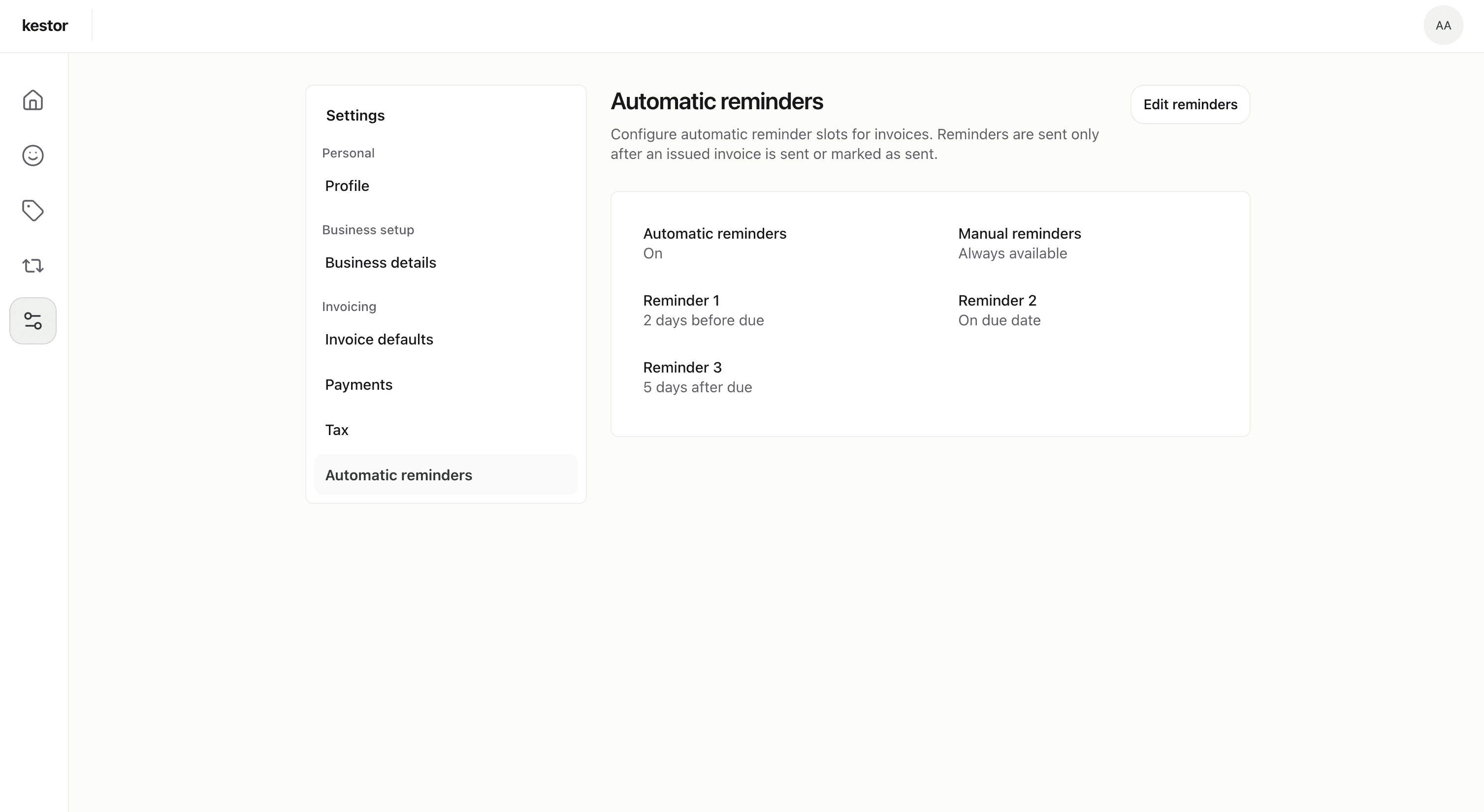
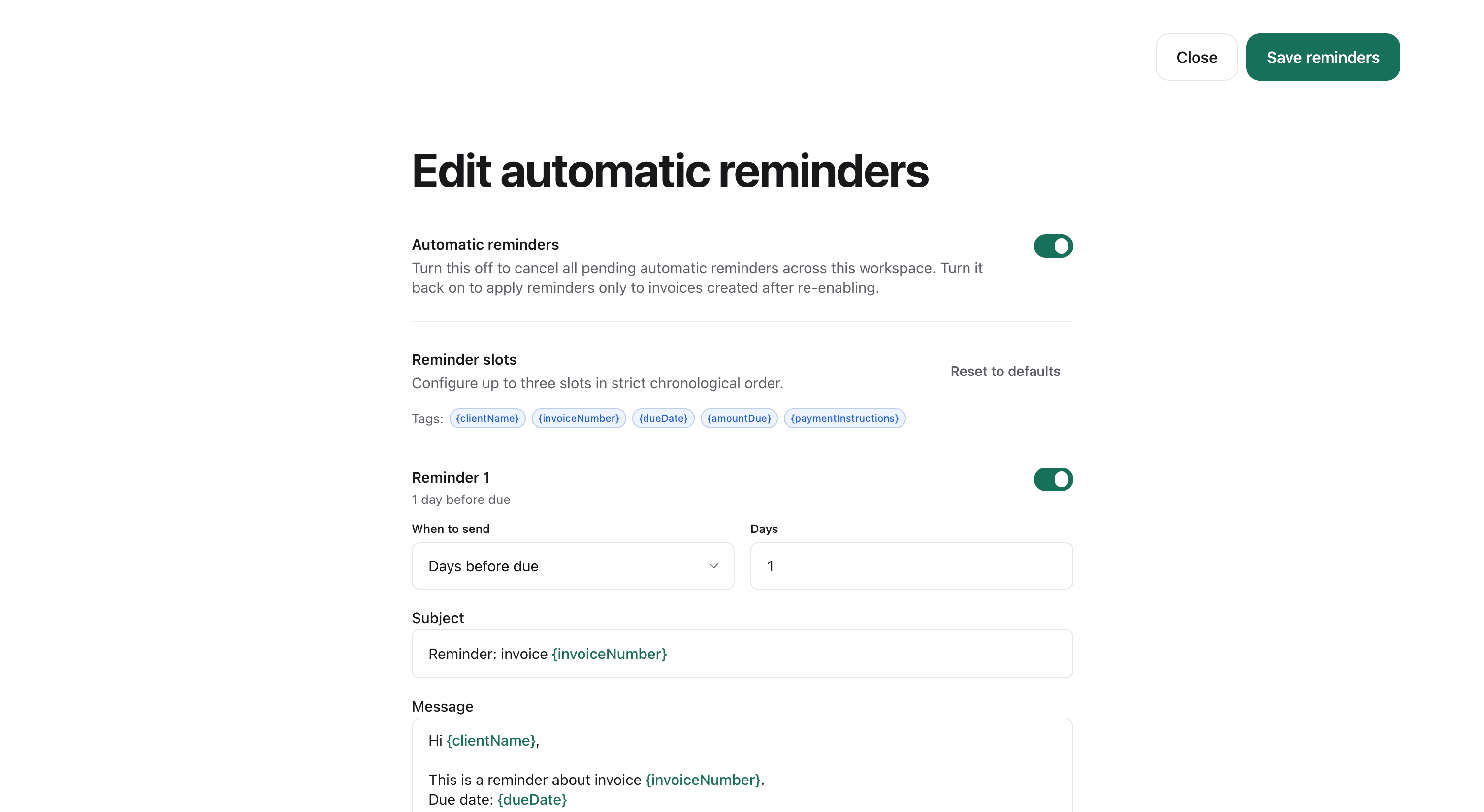
Set the reminder schedule once and keep it tied to invoice status.
Kestor connects reminders to delivery and payment tracking so the follow-up sequence stays part of the invoice lifecycle instead of becoming a separate manual task.
- Three configurable reminder slots can run before, on, and after the due date.
- Reminders start only after the invoice has been sent or marked as sent manually.
- The same workflow also supports recurring invoices when repeat billing needs follow-up over time.
Why Kestor
Reminder automation works better when it stays inside a focused invoicing product.
Kestor keeps invoice creation, delivery, payment status, and follow-up in one place. That makes reminder automation easier to trust because it reflects the actual state of the invoice. It also fits cleanly alongside recurring billing for repeat client work.
Status stays visible
Open, overdue, and paid states stay visible on the dashboard, so reminder automation does not run in a vacuum and can stop once an invoice is settled.
Client history stays connected
Invoice history and payment activity stay attached to the client record, which helps when follow-up needs context.
Broader product page
If you want the parent category view first, start with the broader Kestor overview.
Explore the related Kestor pages
Kestor overview
Freelance client billing
Recurring billing
Service business billing
FAQ
Invoice reminder questions teams ask first
These answers focus on when reminders start, how automation behaves, and how follow-up stays tied to invoice status in Kestor.
How do automated invoice reminders work in Kestor?
You set the reminder schedule once, then Kestor keeps reminder timing tied to the invoice lifecycle so follow-up stays connected to delivery and payment status instead of becoming a separate manual process.
When do invoice reminders start?
Automatic reminders only begin after the invoice has been sent or marked as sent manually. That keeps reminder automation aligned with the real delivery state of the invoice.
Can I send manual reminders too?
Yes. Kestor supports both automatic reminder timing and manual reminder sending, so you can keep follow-up flexible when a specific client situation needs extra context.
Do reminders stop after payment is recorded?
Kestor keeps reminder automation tied to invoice status, so payment visibility and reminder logic stay in the same focused workflow rather than running in isolation.
Automate invoice follow-up without losing control of the tone.
Start with a focused invoicing workspace that keeps reminders, payment tracking, and client billing history connected.
Free plan · No credit card required